
Download Better xCloud APK
This button targets the APK asset published by the official Better xCloud Android repository. If Android blocks the install, use the steps below instead of downloading a mirror.
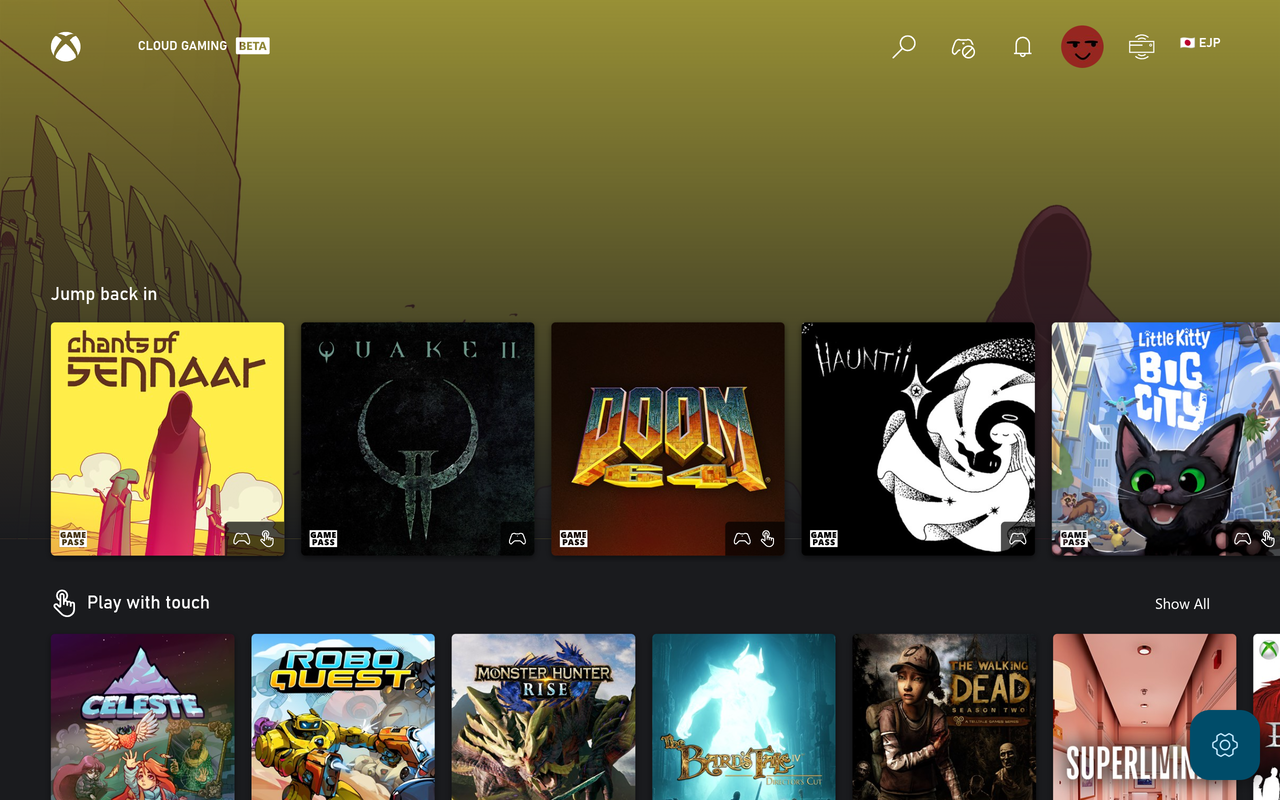
What the Better xCloud Android APK is
The Android APK is not the same file as the PC userscript. It is the packaged Android client maintained in a separate official repository. That distinction matters for updates, permissions, Android TV support and troubleshooting: reinstalling a browser userscript will not repair an Android app installation.
The release asset used here is the official package exposed by the Android repository. Keep the release page bookmarked so you can compare future versions and read any platform notes before updating.
This site does not modify or re-sign the APK. Check the official repository and your device's package installer before approving an update.
How to install Better xCloud on Android
Download from the official source
Use the APK button above or open the official Android release page. Confirm the filename and repository before opening the file.
Allow the required install permission
Android may ask you to allow the browser or file manager to install unknown apps. Enable that permission only for the app you are using, and turn it back off when the installation is complete if you prefer a narrower security posture.
Install and launch the app
Open the downloaded APK, confirm the package details shown by Android and finish the installation. Start Better xCloud from the app drawer rather than expecting the PC userscript menu to appear in Chrome.
Sign in through Xbox Cloud Gaming
Use your normal Microsoft account and Xbox Cloud Gaming access. Better xCloud does not provide an account, subscription or bypass for Xbox service requirements.
Test the stream before tuning
Launch one game with default settings first. After the baseline works, adjust server, resolution, bitrate or decoder options one at a time.
Android TV and living-room setup
Android TV uses the Android app route, but navigation and input are different from a phone. A remote may be enough to open the app while a Bluetooth or USB controller is usually more practical for gameplay. If the APK is downloaded on another device, transfer it through a trusted local method and verify the filename before installing.
TV hardware can also expose decoding limits that are invisible on a phone. If the stream stutters after raising resolution or bitrate, return to the default profile and compare frame delivery before changing several options.
Android phone or tablet
Use the APK installer, then check touch, controller and screen rotation behavior.
Android TV
Check remote navigation, controller pairing, display mode and decoder performance.
TV box or sideloaded device
Confirm that the device accepts the package architecture and that the source is the official release.
Updating or removing the Android app
For an update, compare the new release page, package name and version before installing over the existing app. If Android reports a signature or package conflict, do not force a random replacement; review whether the previous installation came from the same official source.
If you need to remove Better xCloud, uninstall it through Android settings. Clearing the app may also remove local preferences, so record any stream or input settings you want to reproduce first.
Better xCloud APK download guide: compatibility checks
Before installing a Better xCloud APK, confirm that the device is running a compatible Android version, has enough free storage and can display the Xbox Cloud Gaming session at the intended resolution. Android TV devices may use a different processor architecture, remote-control layout or graphics decoder than a phone, so a successful phone installation does not automatically prove that a TV box will behave the same way.
On the first launch, check the app permission prompts, sign-in flow, display orientation and controller response before changing stream settings. If the app opens but the stream is black, test a default profile and another supported display path first. If the package installer reports a conflict, keep the original release source and package name visible while investigating instead of mixing files from unrelated APK mirrors.
- Confirm the release repository and filename before opening the APK.
- Keep unknown-app permission limited to the browser or file manager you used for the install.
- Test one game at default settings before raising resolution or bitrate.
- Pair a controller at the Android system level before troubleshooting the cloud session.
- Record the installed version before applying an update or removing the previous package.
Better xCloud Android APK FAQ
Is the Better xCloud Android APK the same as the PC version?
No. Android has its own app repository and release version. The PC version is a browser userscript.
Can I install the Better xCloud APK on Android TV?
The Android route is the relevant starting point for compatible Android TV devices, but navigation, package architecture and controller support can differ by hardware.
Why does Android say the APK cannot be installed?
Common causes include blocked unknown-app permission, an incompatible device architecture, a conflicting package signature or a damaged download. Recheck the official filename and device requirements first.
Is there a Google Play version?
Use the official Android repository and release notes for the current distribution path. Do not assume an APK mirror or an unrelated store listing is official.
Will the Android app replace Xbox Cloud Gaming access?
No. You still need the normal Xbox Cloud Gaming account and service access required to play.
How do I fix Android controller problems?
Pair the controller at the operating-system level, test it in another app, then review Better xCloud's controller and input settings. The controller guide covers shared troubleshooting steps.
Why should I avoid an unofficial Better xCloud APK mirror?
A mirror can be stale, altered or missing the release context needed to compare package and version details. Use the official Android repository and release page whenever they are available.
What should I check after installing the Better xCloud APK?
Check the app version, sign-in flow, default stream, display, controller and Android TV navigation if relevant. Change one setting at a time after the first session works.